roos-fs tasks #850
open
Introduce Vehicle Status System
Added by Vadim Pariev 7 months ago.
Updated about 2 months ago.
Description
We need to introduce a new vehicle status system that functions similarly to the existing Lead statuses, but without affecting any current logic or workflows in the first iteration.
Each vehicle must have one of the newly defined statuses.
The new system must not change any existing business logic in this iteration.
Vehicle Statuses
- Active (default)
- In Workshop
- Defleeted
- Total Damage
The user must be able to change the vehicle status from:
- Individual Vehicle Overview (Detail Page)
- A status selector must be available.
- Table Overview of All Vehicles
- Status must be editable directly from the table (dropdown analog to leads).
NOTE:
- All changes are recorded in the activity log for the vechicle
Files
- Status changed from Backlog to Open
- Estimated time set to 5:00 h
- Status changed from Open to In progress
- Status changed from In progress to In review
- Status changed from In review to Deployed (QA)
- Assignee changed from Max Zadorozhniy to Olena Tretjakova
QA Failed:
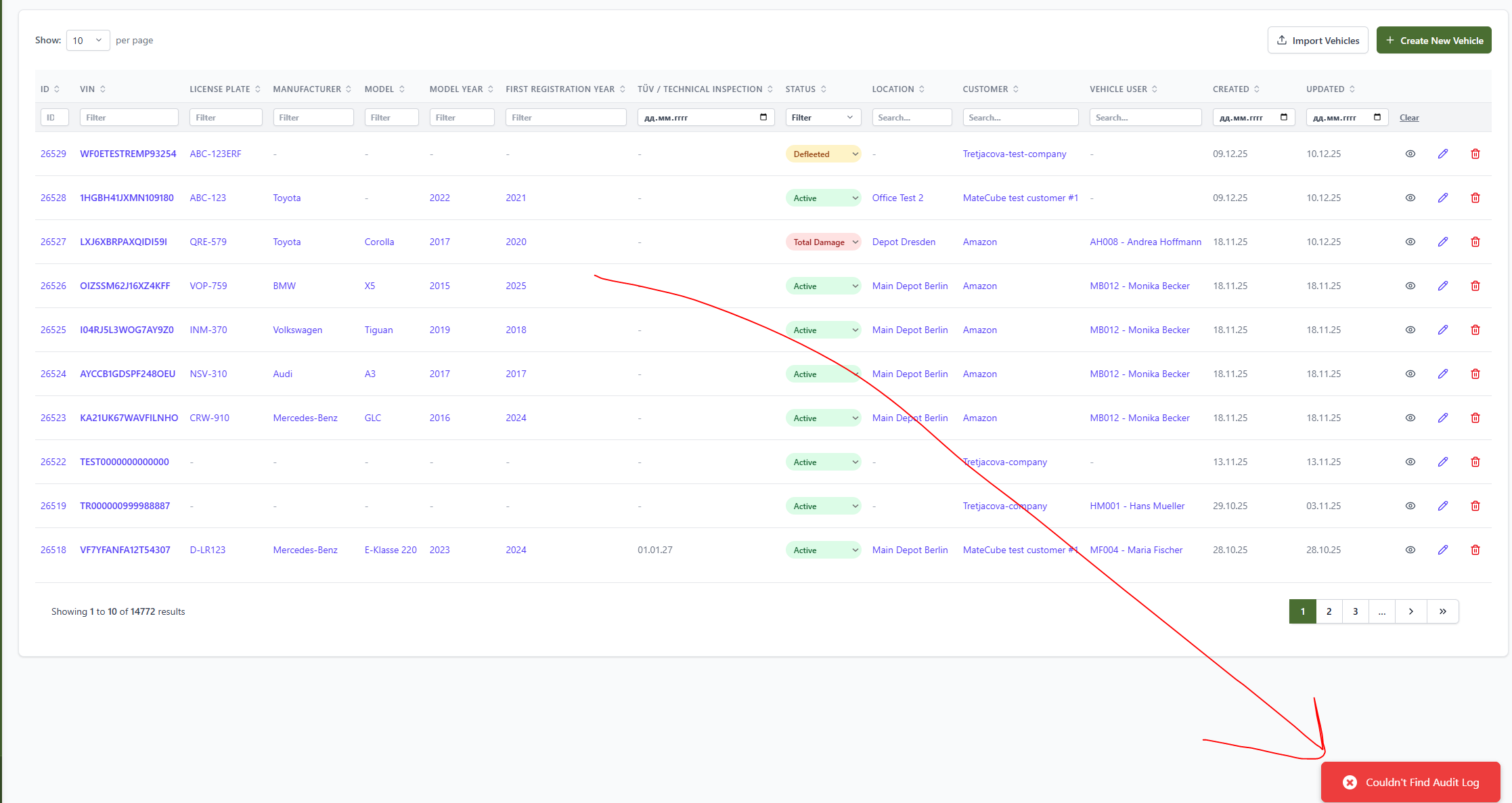
I am now unable to add any activity log for the Vechicle.
It is caused by this new status introduction.
STR
Go to vechicle overview
open activity log
try adding any message or entry
Result
no error message only after going bach to the previous page te message appears
- Assignee changed from Olena Tretjakova to Max Zadorozhniy
- Status changed from Deployed (QA) to Open
- Status changed from Open to In progress
- Status changed from In progress to In review
- Status changed from In review to Deployed (QA)
- Assignee changed from Max Zadorozhniy to Olena Tretjakova
Environment: Staging.
Actual Result:
All acceptance criteria have been met.
Steps to Reproduce:
- Open the Vehicles page.
- Change the status of one vehicle (VIN OLENATRET77777779) from Active to In Workshop. The status was changed.
- Change the status of the same vehicle from Workshop to Defleeted. The status was changed.
- Change the status of the same vehicle from Defleeted to Total Damage. The status was changed.
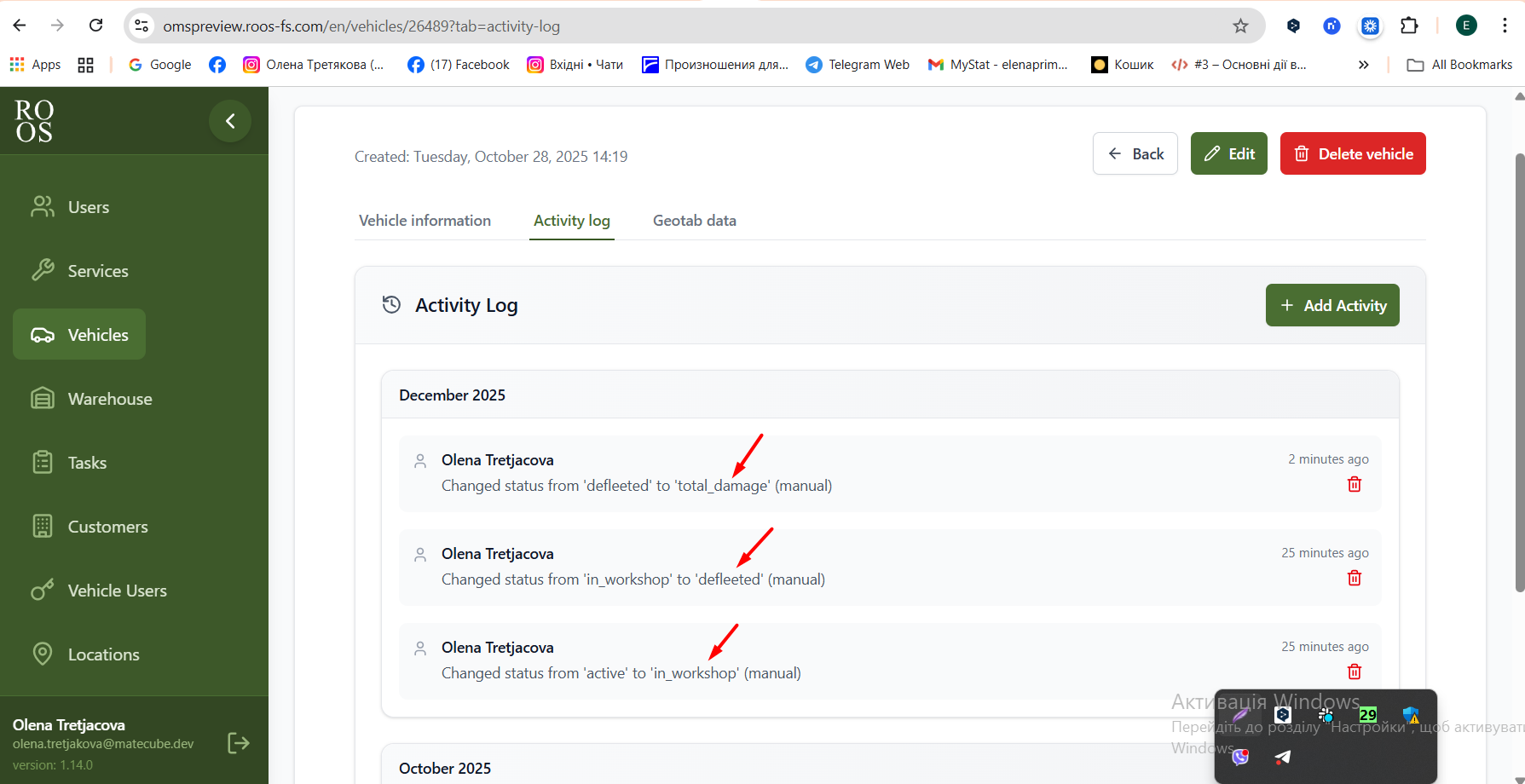
- Open Details page for the vehicle (VIN OLENATRET77777779). Open activity log. The all statuses changing displays in the vehicle (VIN OLENATRET77777779) Activity Log. (pic 1.)
- Return to Vehicle information tab.
- Change the status from Total Damage to Defleeted. The status was changed.
- Change the status from Defleeted to Workshop. The status was changed.
- Change the status from Workshop to Active. The status was changed.
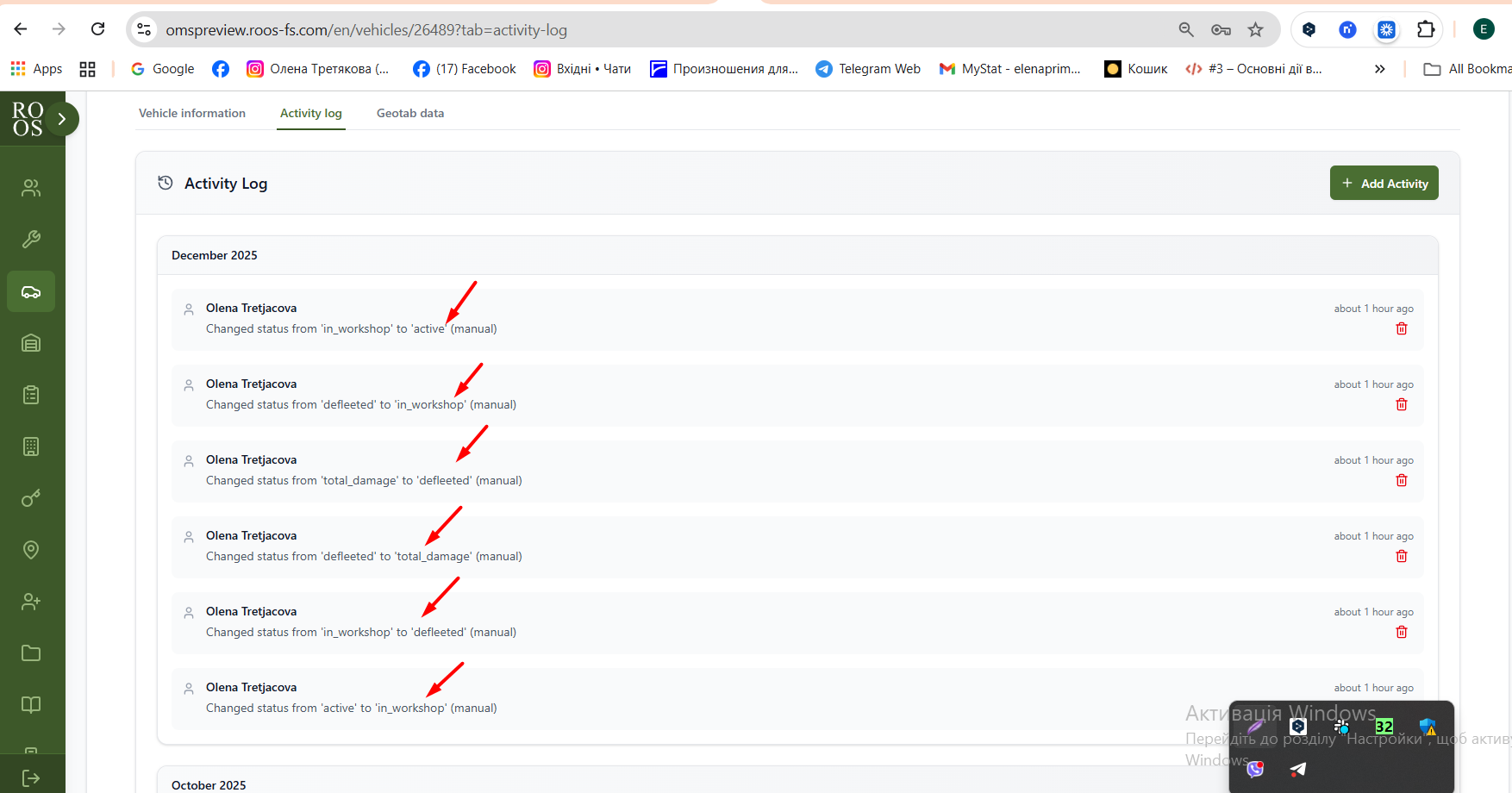
- Open activity log. All status changes are displayed in the Activity Log for the vehicle (VIN: OLENATRET77777779). (pic 2.)
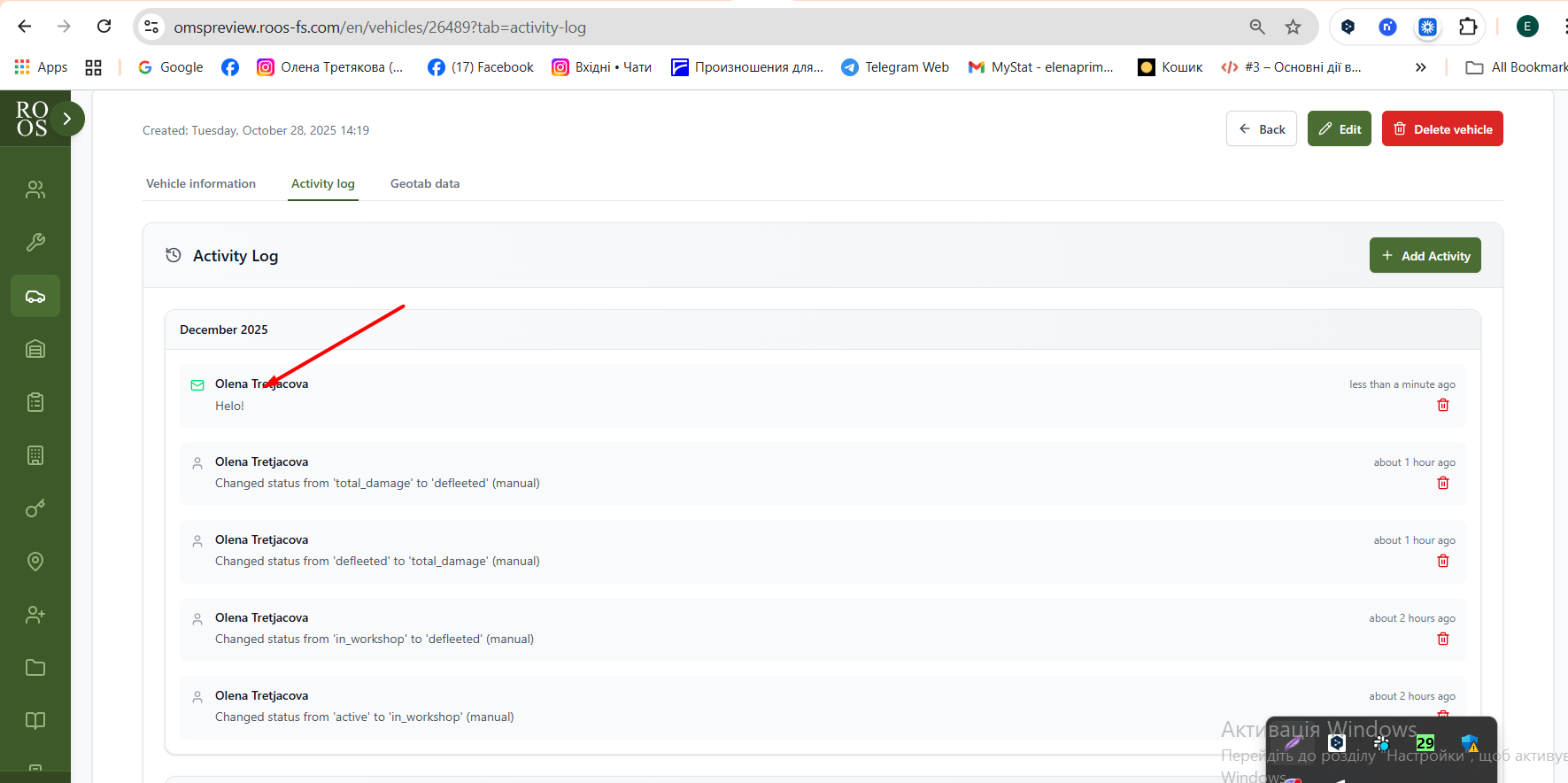
- Click the 'Add activity', check the Email item. Type the text 'Hello!' (pic 3.)
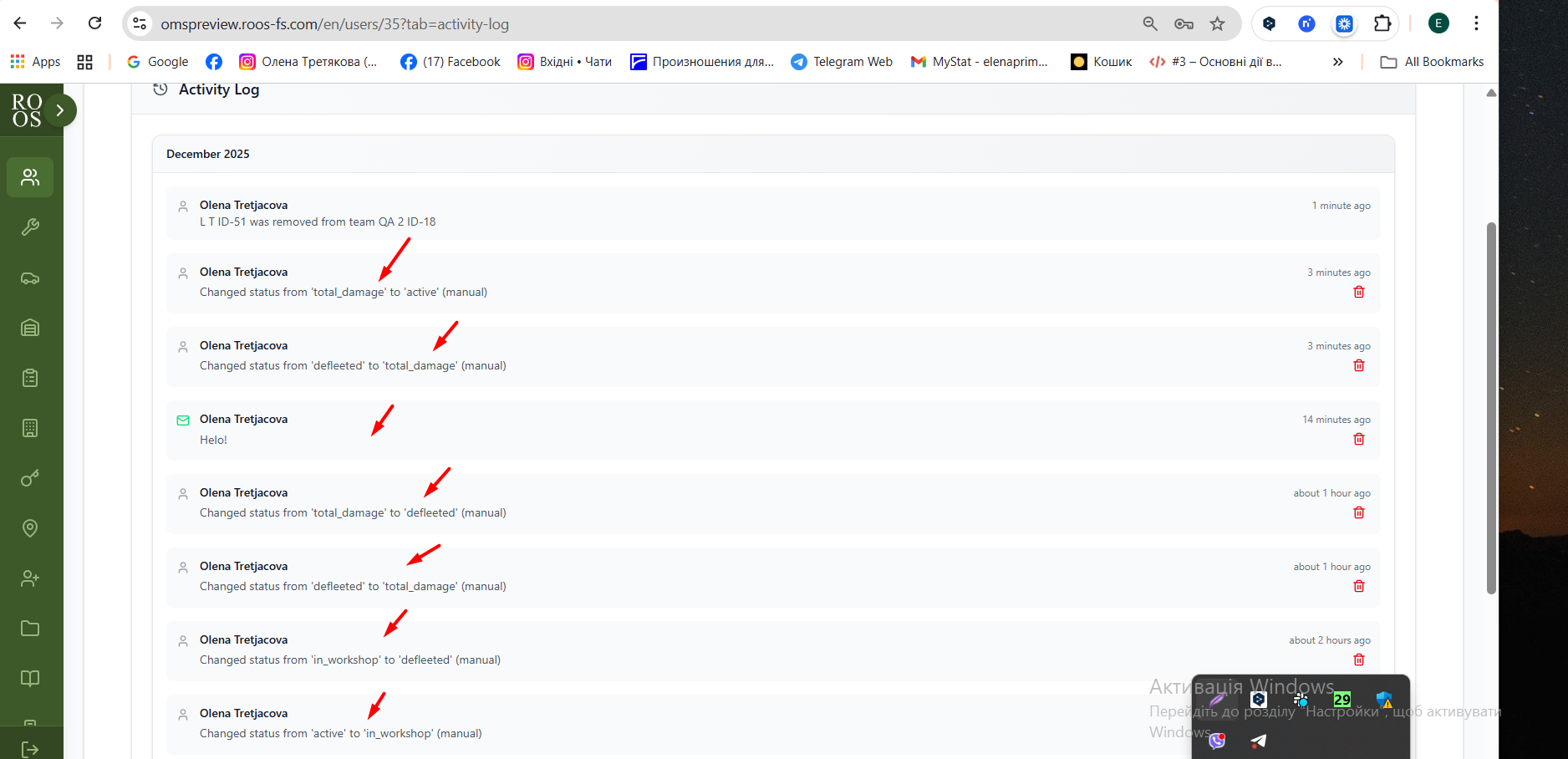
- All changes were displayed in activity log (olena.tretjakova@matecube.dev) user. (pic 4.)
- Status changed from Ready for Deployment (prod) to Closed
- Project changed from 8 to Roos-fs-ZIP
Also available in: Atom
PDF


 Updated by
  Updated by
  Updated by
  Updated by Olena Tretjakova
  Updated by