Actions
roos-fs tasks #720
open

(HOTFIX)False behaviour with yes/no fileds
Start date:
11/10/2025
Due date:
% Done:
0%
Estimated time:
Description
The checklist progress bar and completion counter are not calculating completion correctly.
In the first screenshot, the checklist shows “2/4 completed (50%)”, even though required fields are not completed.
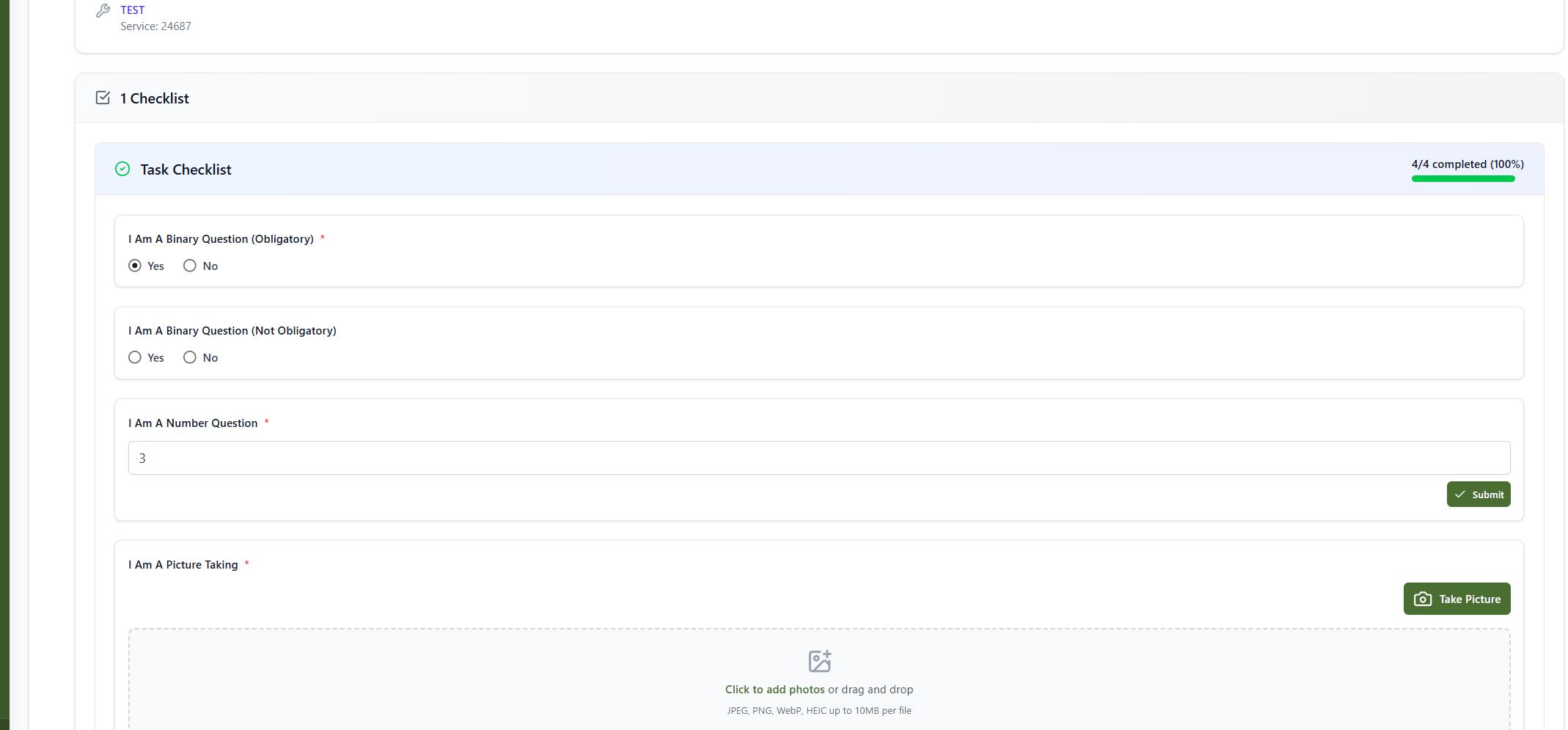
In the second screenshot, when one field (binary and number) is filled, the counter jumps to “4/4 completed (100%).
The user at same time if blocked and can not complete the task although the empty yes/no filed is empty and is NOT required.
Expected Result:
- The not required filed shall not block the user from completing the Task
- The progress bar and counter should update only when all mandatory/not mandatory fields are completed, including file upload or photo capture fields.
- If a field marked as obligatory is empty, the checklist should not show 100% completion.
- Completion percentage should reflect true completion of all required/not required checklist items.
Actual Result:
- The checklist progress displays incorrect completion percentages.
- The obligatory “Picture Taking” field is not counted properly in progress validation.
- The counter incorrectly reaches 100% completion even though required fields remain unfilled.
- The Not filled out yes/no question iscoulned as if already answered
- The Yes/No if not required shall NOT block the user from completing the task
Steps to Reproduce:
Go to Task 42979
- Open any Task Checklist with 4 checklist items (including picture-taking).
- Fill in one binary and numeric questions only.
- put somethign into the Picture Taking field.
- Observe the progress indicator — it shows 100% completed, despite one field being empty.
Files
 Updated by
  Updated by
  Updated by
  Updated by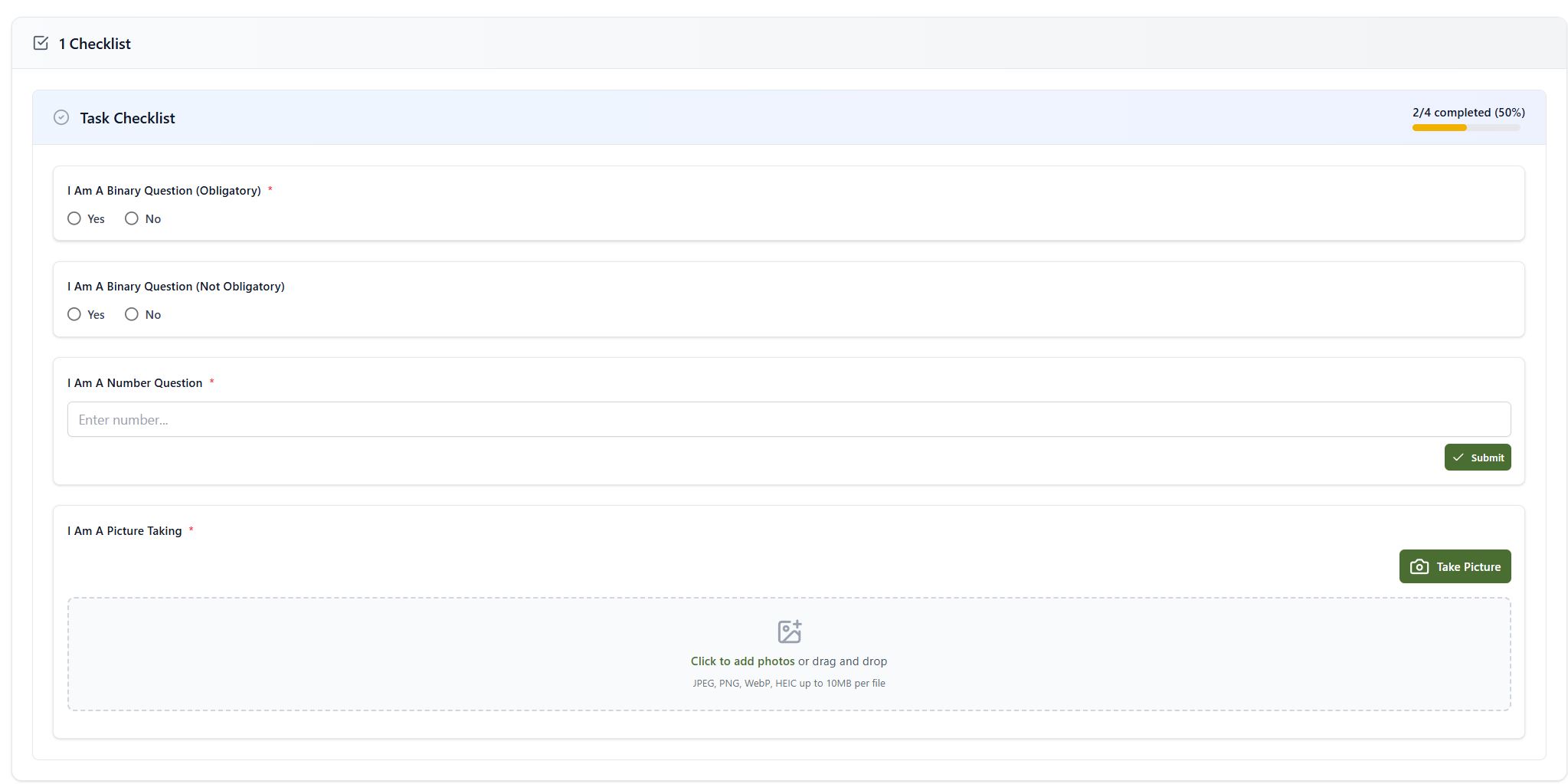
Actions