roos-fs tasks #681
open

Unify the Delete behaviours for the projects
0%
Description
Envirinment: Staging + Live.
Steps to Reproduce:
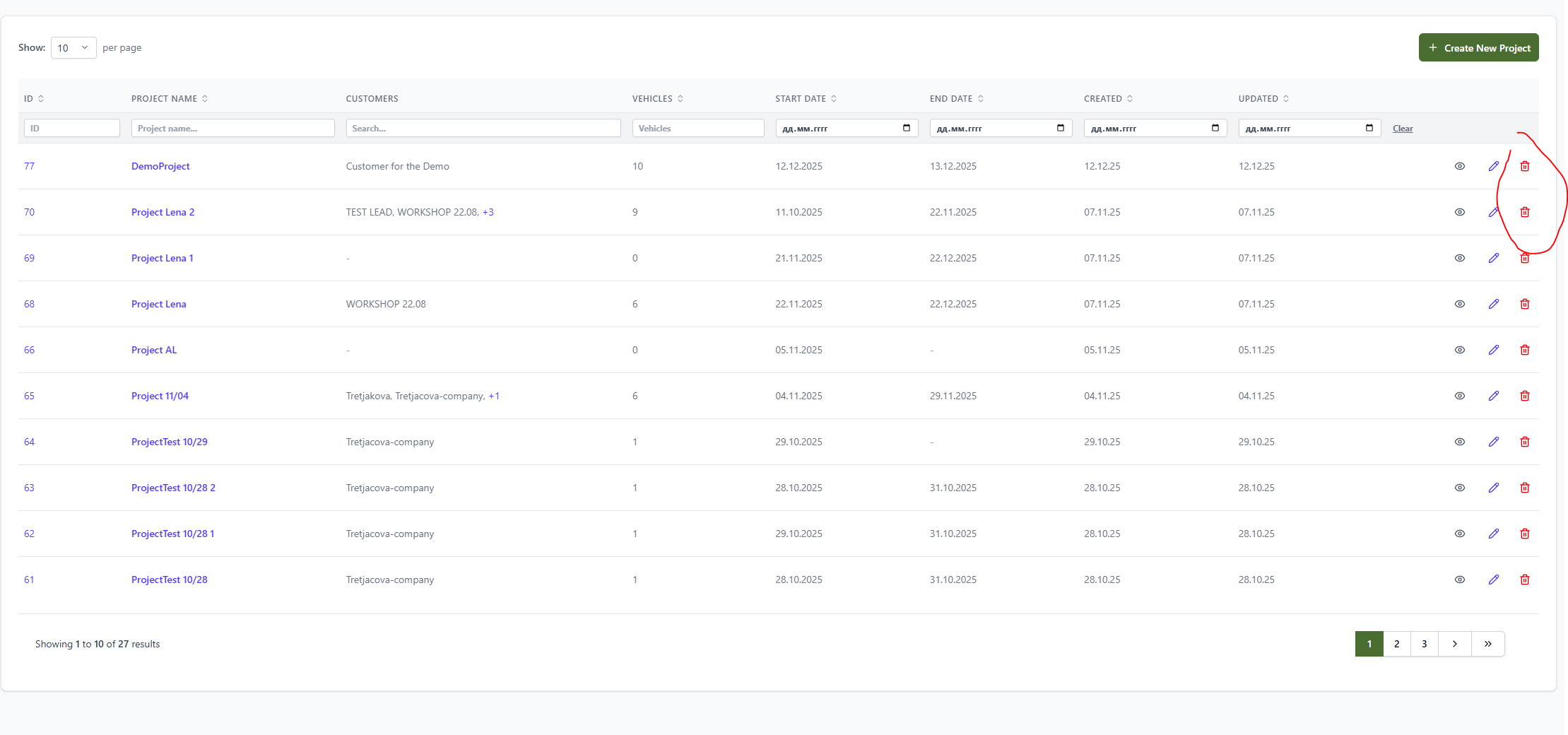
- Open the 'Project' page. Click the 'Delete' icon next to any project in the table. The project is not deleted.
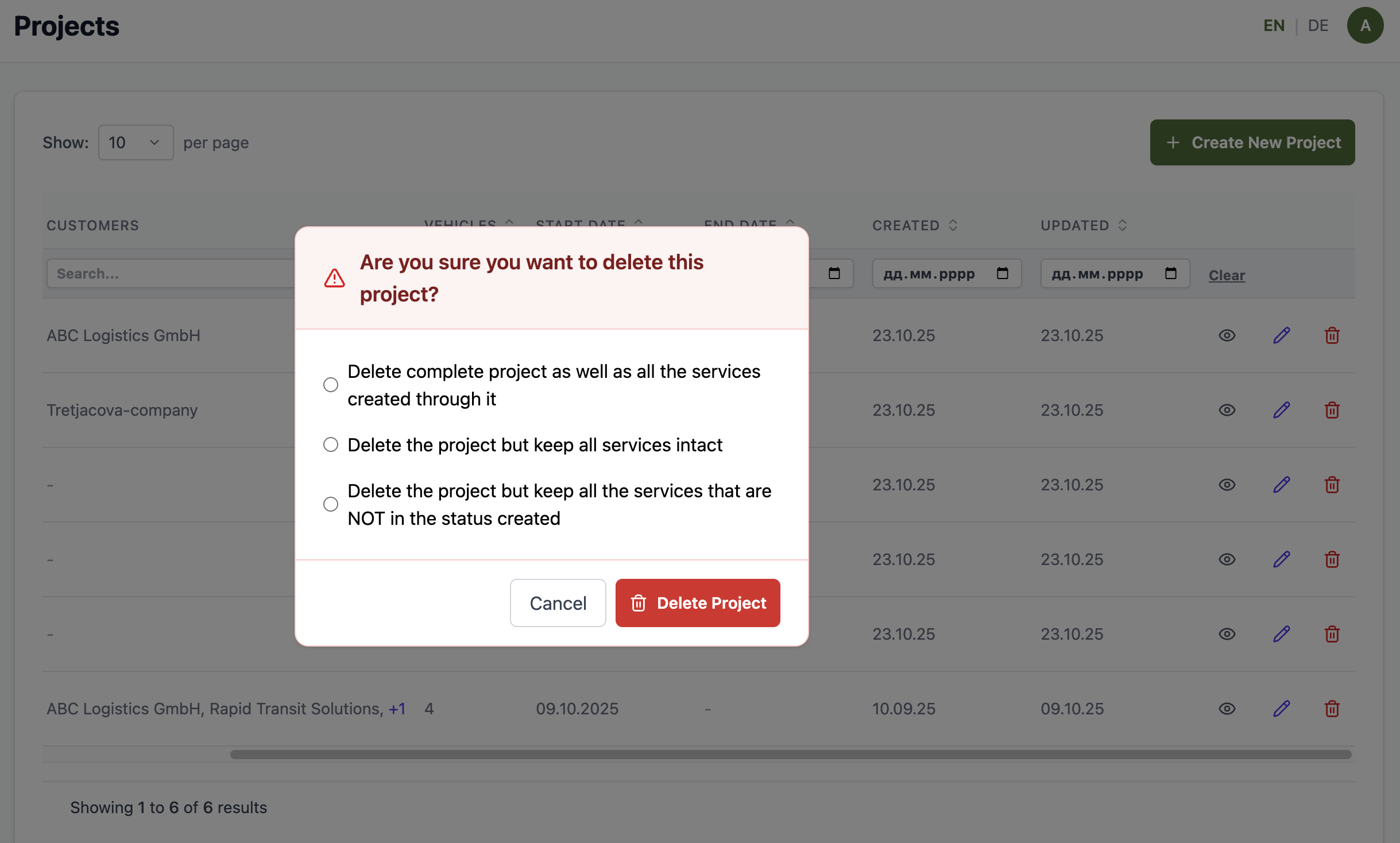
- Open the Project Details page. Click the 'Delete' button at bottom of the edit page. There is no message asking the user how he shall proceed with deleting.
Expected result:
Both deletion options from above need to call the following pop-up:
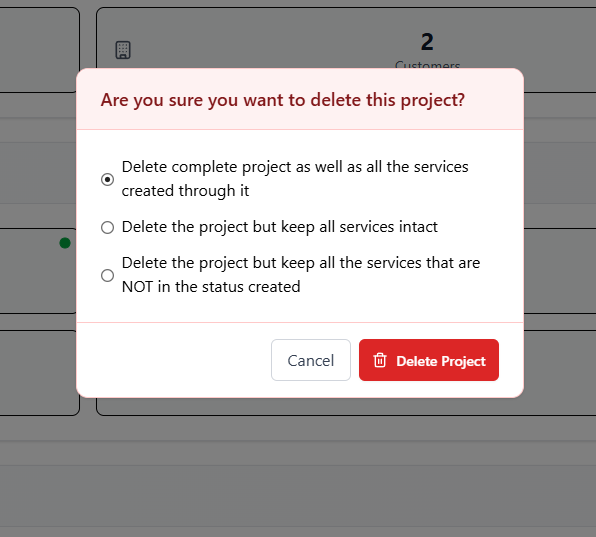
Expected result
remove the delete option for the projects from this overview
Files
 Updated by Ivan Danyliv 8 months ago
· Edited
Updated by Ivan Danyliv 8 months ago
· Edited
 Updated by Vadim Pariev 6 months ago
- File clipboard-202512142313-roxfq.png clipboard-202512142313-roxfq.png added
- Subject changed from [BUG] The 'Delete' button and icon do not work on the 'Projects' page. to Unify the Delete behaviours for the projects
- Description updated (diff)
Updated by Vadim Pariev 3 months ago
- File clipboard-202603171108-ounsr.png clipboard-202603171108-ounsr.png added
- Description updated (diff)
Updated by Vadim Pariev 3 months ago
- Assignee changed from Vadim Pariev to Volodymyr Kuzmych
 Updated by Olena Tretjakova 2 months ago
- Status changed from Open to Ready for Deployment (prod)
- Assignee changed from Olena Tretjakova to Vadim Pariev
Environment: Staging
Actual Result:
-
Delete the Project with all it`s services on the Projects page passed
-
Delete the Project with all it`s services on the Project Detail page passed
-
Delete the Project but keep all associated services intact on the Projects page passed
-
Delete the Project but keep all associated services intact on the Project Detail page passed
-
Delete the Project but keep all associated services intact that are not in created status on the Projects page passed
-
Delete the Project but keep all associated services intact that are not in created status on the Project Detail page passed
Updated by Vadim Pariev about 2 months ago
- Status changed from Ready for Deployment (prod) to Closed
 Updated by Albert Katasonov about 2 months ago
- Project changed from 8 to Roos-fs-ZIP