roos-fs tasks #515
open

Automate Monthly Service Data Export from OMS to EASY Bill via API
0%
Description
Currently, the invoicing data flow between the OMS system and EASY Bill is handled manually. After service data (including pricing, service details, and cancellation fees) is collected in the OMS, it is manually exported as a CSV per customer for a one-month period and then imported into EASY Bill via their “Import” function to generate an invoice template.
The goal is to automate this process so that on the first day of each month, a CSV report per customer is automatically generated for the previous month and sent directly to EASY Bill using their API. This will eliminate manual export and import steps while maintaining compatibility with EASY Bill’s CSV import format.
Business Logic:
OMS gathers all data related to:
- Services provided per customer
- Service name
- Service prices and cancellation fees
At the end of each month (the first day of the next month):
- A CSV file is generated per customer containing all services rendered during that month.
- The CSV follows the EASY Bill import format (attached layout).
On the first day of the following month:
- The system automatically sends the generated CSV file to EASY Bill using their API.
- If a customer has no services for that month, no API call should be made.
- EASY Bill automatically creates an invoice template based on the imported data. The accountant can then review and finalize it before sending it to the customer.
Acceptance Criteria:
- The system can connect to the EASY Bill API using the available test account.
- A CSV file is generated monthly (on the 1st of the following month) per customer.
The CSV file includes (see template) :
- Customer identifier (name and other data need for the API)
- Service names and descriptions
- Service prices
- Cancellation fees are also in place and have their type and etnry in the table
- If no services exist for a customer within the month, no CSV and no API call are created.
- The generated CSV fully matches the EASY Bill import layout (attached).
- Successful CSV upload triggers EASY Bill’s invoice template creation process.
- Logs are created for each export and API interaction (success/failure, timestamp, customer ID).
- Error handling is implemented for failed uploads or invalid CSV formats.
API documentation
https://www.easybill.de/api/?srsltid=AfmBOorZTMGd4eLZXBQftBiLRElzkm9BRisqUQ9emW_o3YKObNeVUgZA
https://c598962.easybill.de/login
E-Mail Adresse:
vadim.pariev@matecube.dev
Passwort:
YCIQMwAiIBaMbH
Files
.png)
 Updated by Vadim Pariev 9 months ago
- Tracker changed from Discounts tasks to roos-fs tasks
- Project changed from 3 to 8
Updated by Vadim Pariev 9 months ago
- Status changed from Deployed (QA) to Backlog
Updated by Vadim Pariev 8 months ago
- Assignee set to Vadim Pariev
- Status changed from Backlog to Open
Updated by Vadim Pariev 8 months ago
- Assignee changed from Vadim Pariev to Ivan Danyliv
 Updated by Ivan Danyliv 8 months ago
The existing ServiceExporter will be extended to generate monthly CSV files per customer that match EASYBILL’s Custom CSV import layout.
On the first day of each month, a scheduled background job (via Sidekiq) will automatically run, fetching all completed services from the previous month, grouping them by customer, and generating one CSV per customer.
Each generated CSV file will then be uploaded to EASYBILL’s FTP server (to the /import directory) using a secure FTP connection.
According to EASYBILL’s official documentation:
"CSV-Importe (Custom CSV) werden ausschließlich über den FTP-Server von easybill hochgeladen.
Die API unterstützt keinen direkten CSV-Upload."
This means that CSV imports can only be handled via EASYBILL’s FTP server, as their API does not support direct CSV uploads.
Updated by Vadim Pariev 7 months ago
@ivan.danyliv@matecube.dev the customer has acceped the view of the Invoice.
There is only one thing to be added>>
- the nameof the tasks that are included in the service
Example: - Battery change service (150 Euro)
- Front Battery charge (70 Euro)
- Rear Battery change (80 Euro)
Updated by Ivan Danyliv 7 months ago
- Status changed from In progress to In review
Updated by Ivan Danyliv 7 months ago
- Status changed from In review to In progress
Updated by Ivan Danyliv 7 months ago
- Status changed from In progress to In review
 Updated by Alex Katasonov 7 months ago
- Status changed from In review to Deployed (QA)
Updated by Alex Katasonov 7 months ago
- Assignee changed from Ivan Danyliv to Olena Tretjakova
 Updated by Olena Tretjakova 7 months ago
- File image.png image.png added
- Status changed from Deployed (QA) to QA Failed
- Assignee changed from Olena Tretjakova to Ivan Danyliv
Environment: Staging.
Actual Result:
On the 12/01/2025 no reports are received.
Steps to Reproduce:
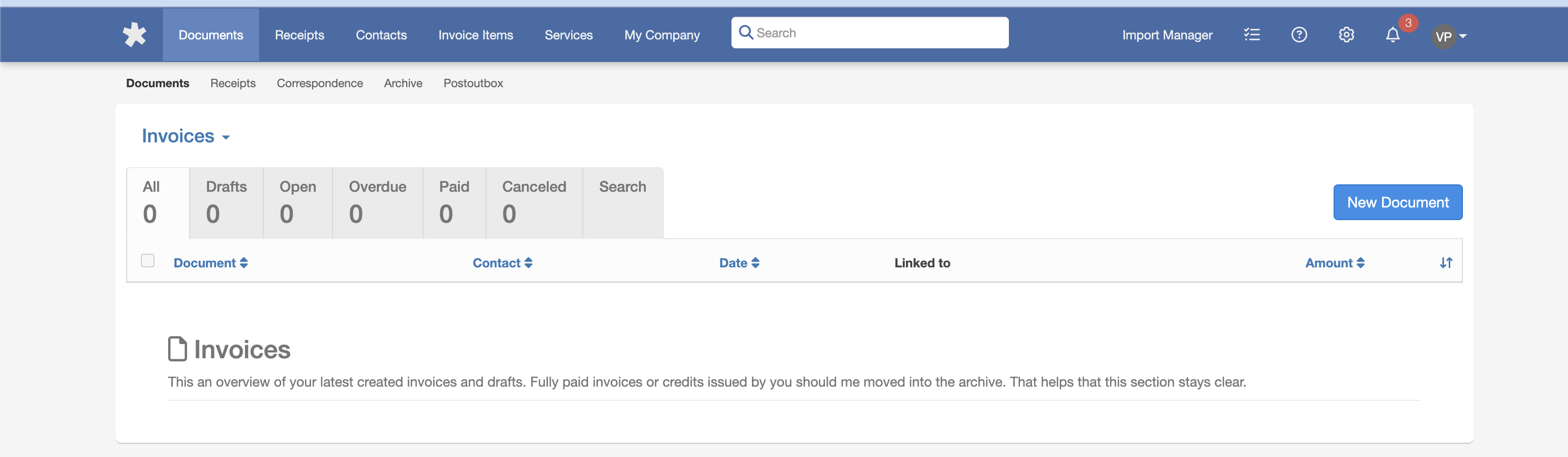
- On 12/01/2025, open EASY Bill API using the login vadim.pariev@matecube.dev
- No reports are received.
Updated by Ivan Danyliv 6 months ago
- Status changed from QA Failed to In progress
Updated by Ivan Danyliv 6 months ago
- Status changed from In progress to In review
Updated by Ivan Danyliv 6 months ago
- Status changed from In progress to In review
Updated by Ivan Danyliv 6 months ago
- Status changed from In review to In progress
Updated by Ivan Danyliv 6 months ago
- Status changed from In progress to In review
Updated by Ivan Danyliv 6 months ago
- Status changed from In progress to In review
Updated by Alex Katasonov 6 months ago
- Status changed from In review to Deployed (QA)
Updated by Alex Katasonov 6 months ago
- Assignee changed from Ivan Danyliv to Olena Tretjakova
Updated by Olena Tretjakova 6 months ago
- File image (2).png image (2).png added
- Status changed from Deployed (QA) to Ready for Deployment (prod)
- Assignee changed from Olena Tretjakova to Vadim Pariev
Environment: Staging.
Actual Result:
All acceptance criteria have been met.
Steps to Reproduce:
- On 01/01/2026, open EASY Bill API login as vadim.pariev@matecube.dev
- The report was received.
Updated by Vadim Pariev 6 months ago
- Status changed from Ready for Deployment (prod) to Closed
 Updated by Albert Katasonov about 2 months ago
- Project changed from 8 to Roos-fs-ZIP