roos-fs tasks #460
open
(MOBILE) Extend the information overview of the Location with the contact nfromation
Added by Vadim Pariev 9 months ago.
Updated about 2 months ago.
Description
General
in this ticket we have already extended the object of the Location https://redmine.matecube-internal.ddns.net/issues/444
It is expected that the mobile isers would see the contact information as well in the location overview.
Expected result
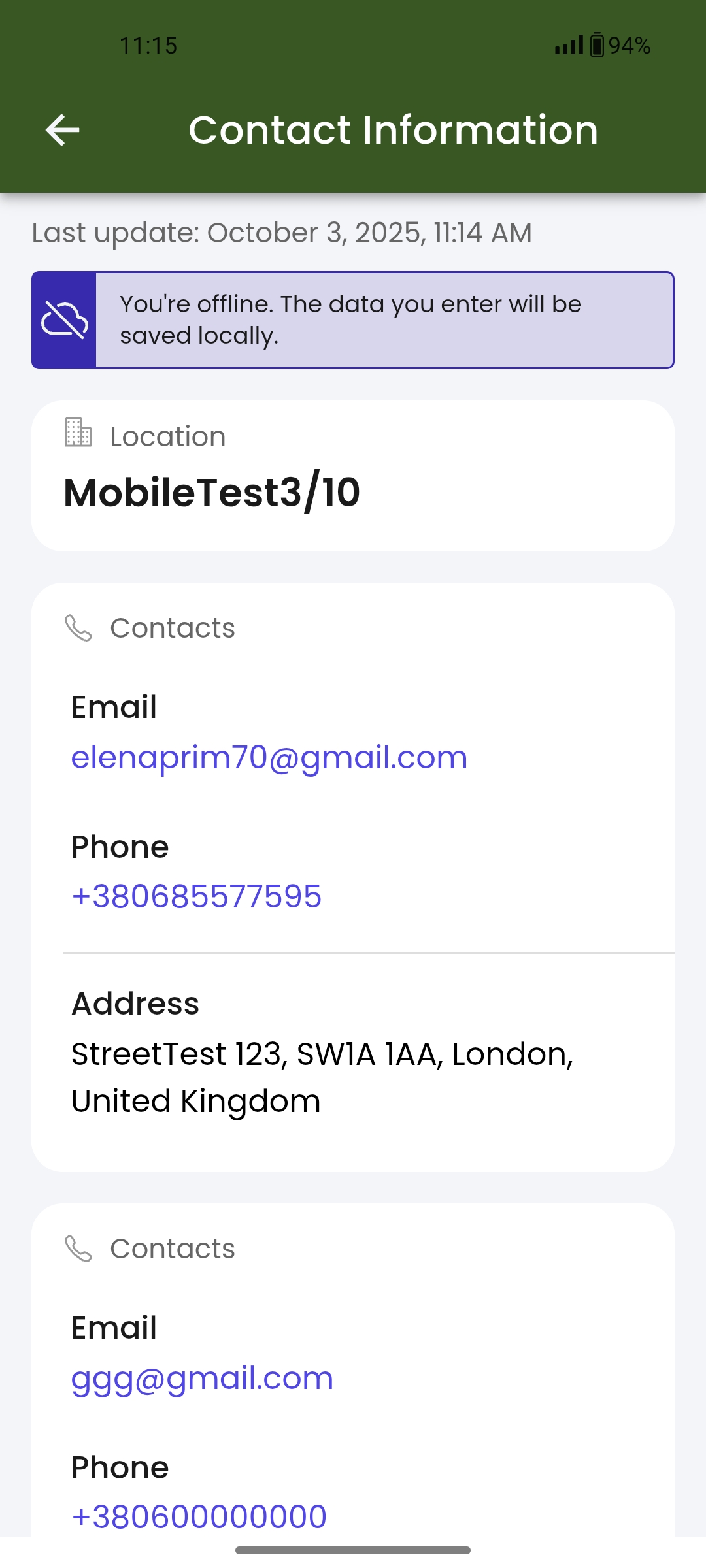
- the contacts are present int eh location overview page in the application
- phone number and email are calling the native functionalitites of the mobile application (make a phone call, write an email)
- in case multiple contacts, it is clearly devided and seen the overview
- when downloading the data for the offline, this information is also downloaded
Files
- Status changed from Backlog to Open
- Status changed from Open to In progress
- Status changed from In progress to In review
- Status changed from In review to Deployed (QA)
Enviremant:
- OnePlus 9 5G
- Model: LE2115
- Processor: Qualcomm Snapdragon 888 (octa-core)
- Operating System: Android 14 (for testing)
- RAM: 8 GB
- Storage: 128 GB
- Screen: 6.55″ AMOLED, 120 Hz refresh
- Battery capacity 4500 mA.
Preconditions:
- The user must have an account in ROOS-fs.
- The Location what be check must have an Contact Details namely three emails and trhee mobile phones.
Steps to reproduse:
- Open the Location page. Choose the Location wich matches to requirements.
- Click one of the email addresses and send a test letter to it.
- Click one of phone numbers and place a call to this number.
Expected Result:
- The Contact Detail information is strictly structured.
- Phone number and email are calling the native functionalitites of the mobile application (make a phone call, write an email).
- When you download the information for offline use, this information is also included in the download.
Actuale Result:
- The Contact Detail information is strictly structured but display two from tree contacts.
- Click the email link allows to wriete and send a letter. Click the phone number allows to place a call.
- When you download the information for offline use, this information is also included in the download.
Attachments
screenshot from computer displayes tree contacts
https://screenrec.com/share/19YoWv0Dn3
screenshots from mobile phone in attach file.
- Status changed from Deployed (QA) to QA Failed
Tested on 1.1.1
Result ok
- Status changed from QA Failed to Ready for Deployment (prod)
- Status changed from Ready for Deployment (prod) to Closed
- Project changed from 8 to Roos-fs-ZIP
Also available in: Atom
PDF


 Updated by
  Updated by
  Updated by Olena Tretjakova
  Updated by
 .jpg)