Actions
roos-fs tasks #563
open

(MOBILE) Replace Boolean Question Item with Yes/No Radio Buttons in Checklists
Start date:
10/17/2025
Due date:
% Done:
0%
Estimated time:
Description
General
Some users have reported issues when working with the current implementation of the Boolean question item in checklists. The current behavior causes confusion and usability problems when selecting or changing values.
Expected Result
- Replace the current Boolean implementation with radio buttons offering “Yes” and “No” options.
- The default state must be none selected (i.e., neither “Yes” nor “No” is preselected).
- The user must actively choose either “Yes” or “No” before saving or proceeding.
- Both “Yes” and “No” options must be clearly visible and easy to distinguish.
Functional Behavior
- When the user selects “Yes” or “No”, the checklist’s counter of accomplished tasks updates accordingly.
- The update should follow the same logic currently applied for Boolean-based tasks (e.g., “Yes” = accomplished, “No” = not accomplished).
- Ensure that no other functionalities or related components are affected by this change.
- The selected value is saved
Files
 Updated by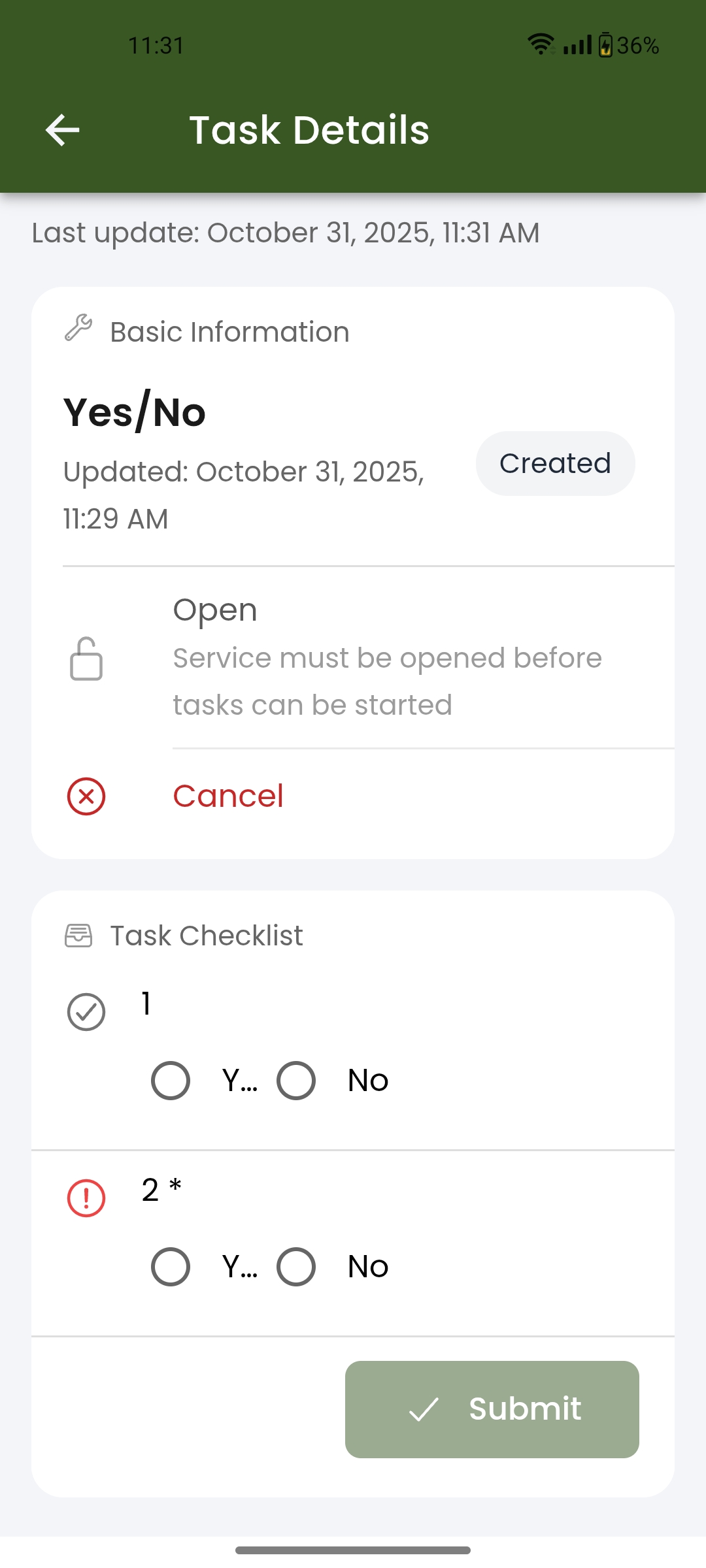
 Updated by Victoria Grishkova 8 months ago
- Status changed from Open to In progress
Actions
#3
Updated by Victoria Grishkova 8 months ago
- File app-debug_563.apk app-debug_563.apk added
- File app-release_563.aab app-release_563.aab added
note for testing:
new flow for statuses is not implemented here yet, so changing statuses will not work.
builds are attached.
Updated by Victoria Grishkova 8 months ago
- Status changed from In progress to In review
Updated by Victoria Grishkova 8 months ago
- Status changed from In review to Deployed (QA)
Updated by Victoria Grishkova 8 months ago
ignore previous builds and please test via this apk:
Actions
#7
 Updated by Olena Tretjakova 8 months ago
- File Screenshot_2025-10-31-11-31-56-19_334366aa60c95a830342eca788ba1737.jpg Screenshot_2025-10-31-11-31-56-19_334366aa60c95a830342eca788ba1737.jpg added
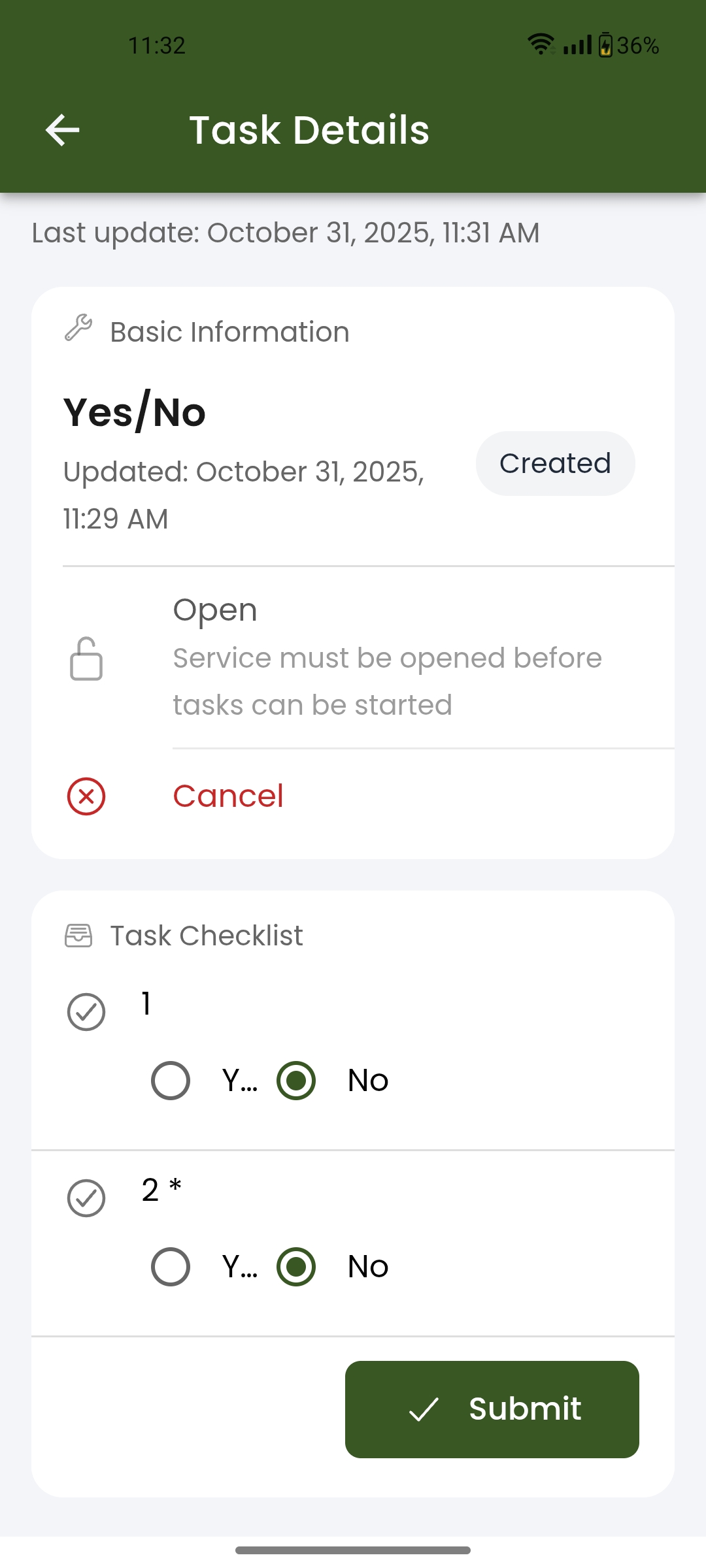
- File Screenshot_2025-10-31-11-32-03-62_334366aa60c95a830342eca788ba1737.jpg Screenshot_2025-10-31-11-32-03-62_334366aa60c95a830342eca788ba1737.jpg added
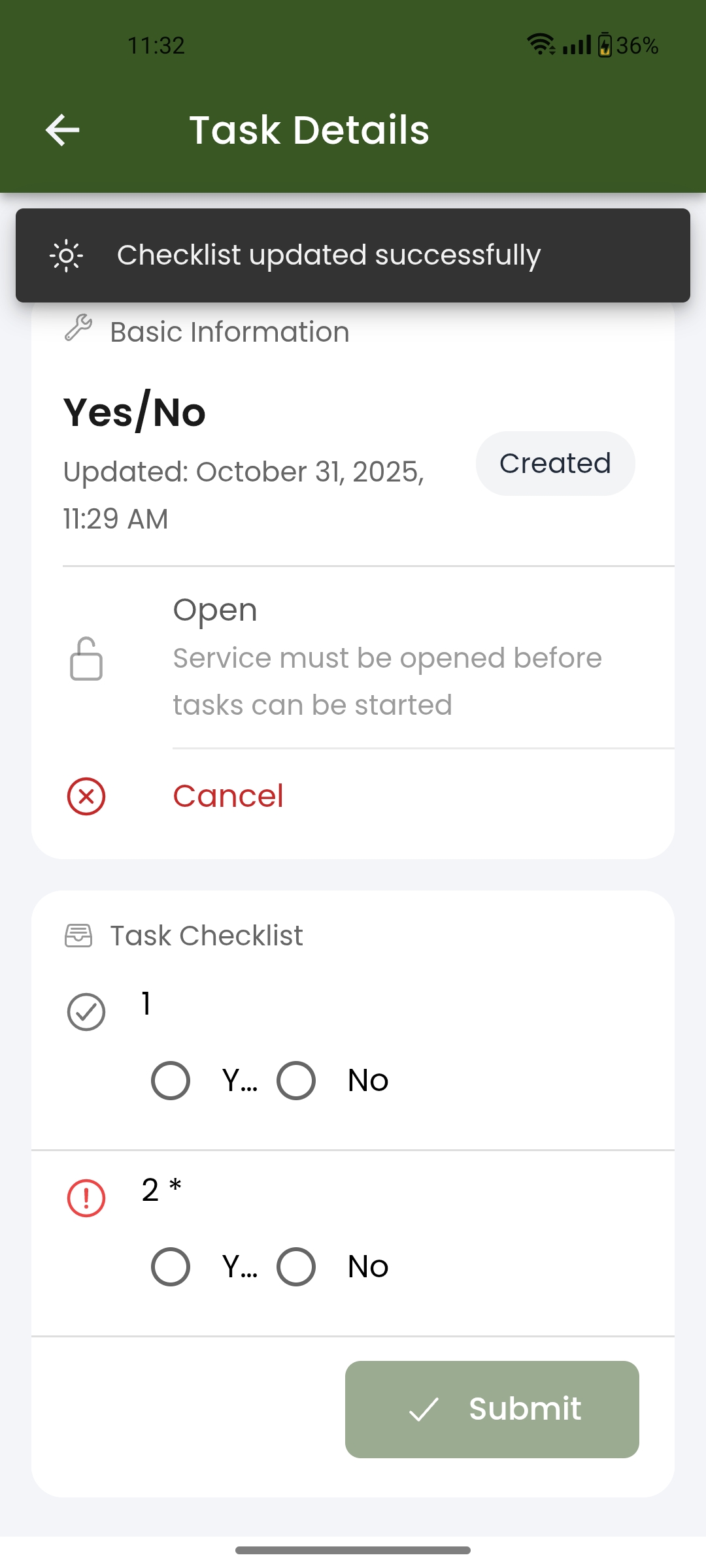
- File Screenshot_2025-10-31-11-32-09-86_334366aa60c95a830342eca788ba1737.jpg Screenshot_2025-10-31-11-32-09-86_334366aa60c95a830342eca788ba1737.jpg added
- Status changed from Deployed (QA) to QA Failed
Environment: Staging.
Actual Result:
- The fields in the checklist in the GET request 'Get Task Details' have a null value after completing the checklist (expected: true or false).
- The field all_mandatory_checklists_completed has the value false (expected: true), and the field all_checklists_completed also has the value false (expected: true) in the GET request 'Get Service Details'.
Steps to Reproduce:
- Create a task template with a 'Yes/No' field in the checklist.(Task ID 42846)
https://screenrec.com/share/gpTqCZRiB8 - Create the 'Yes/No' service. (Service ID 24588, Task ID 42847) https://screenrec.com/share/I0svo2y1m4
- Open build 563. Open the vehicle OLENA121212121212 (1999), service 'Yes/No'.
- Open the task. Select 'No' in the Yes/No radio button (not required), and select 'No' in the Yes/No radio button (required).
- Click the 'Submit' button.The message 'Checklist update succesefull.
- Send request Get Task Detail Task ID: 42847.
- Response the fields did not get value true or false. https://screenrec.com/share/Rvu9fCnHXY
8.Send request Get Service Detail. - Response the service is not completed. https://screenrec.com/share/aIyjBlU4FL
 Updated by Albert Katasonov about 2 months ago
- Project changed from 8 to Roos-fs-ZIP
Actions